Quick Answer: What Does Managing Your Google Business Profile Mean?
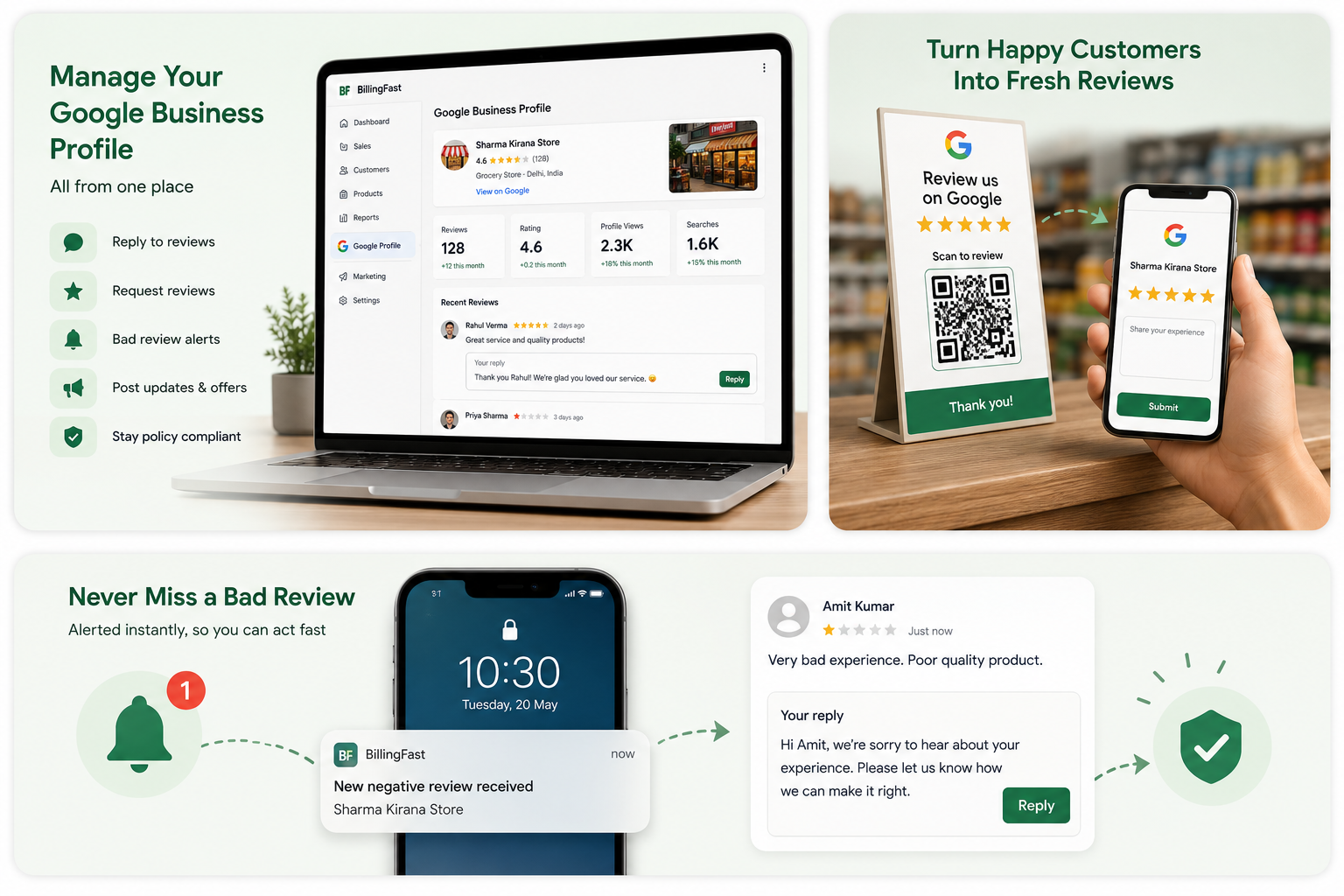
Managing your Google Business Profile means keeping your free Google listing active and trusted so nearby customers pick you over the shop next door. In practice that's four jobs: reply to every review, ask happy customers for new reviews, catch and answer bad reviews fast, and post updates and offers to keep the profile fresh. It matters because 97% of consumers read reviews before choosing a local business, 81% check Google reviews specifically, and Google has confirmed that responding to reviews can lift your local ranking. The problem is doing it consistently — most owners forget to log into Google. Billing Fast fixes that by bringing your reviews and posts into the same app you already use to bill, so managing your profile becomes a two-minute habit instead of a task you never get to.
Why Your Google Profile Decides Who Walks In
When someone nearby searches "kirana store near me" or "best bakery in [your area]", Google shows a map with three businesses on top — the local pack. Landing there, and getting the tap, is decided largely by your Google Business Profile: your reviews, your rating, how recently you've posted, and how complete your details are. For a local shop, this listing pulls in more walk-in customers than any website.
And customers lean on it hard before deciding. On average, people read about 10 reviews before they trust a business, 67% trust Google reviews more than any other platform, and 31% will only consider a business rated 4.5 stars or higher. A thin, unanswered, out-of-date profile quietly sends those customers to a competitor — not because your shop is worse, but because your listing looks neglected. Managing the profile is how you stop losing customers you never even saw.
Reply to Every Review Without Leaving the App
The one habit that beats almost every competitor
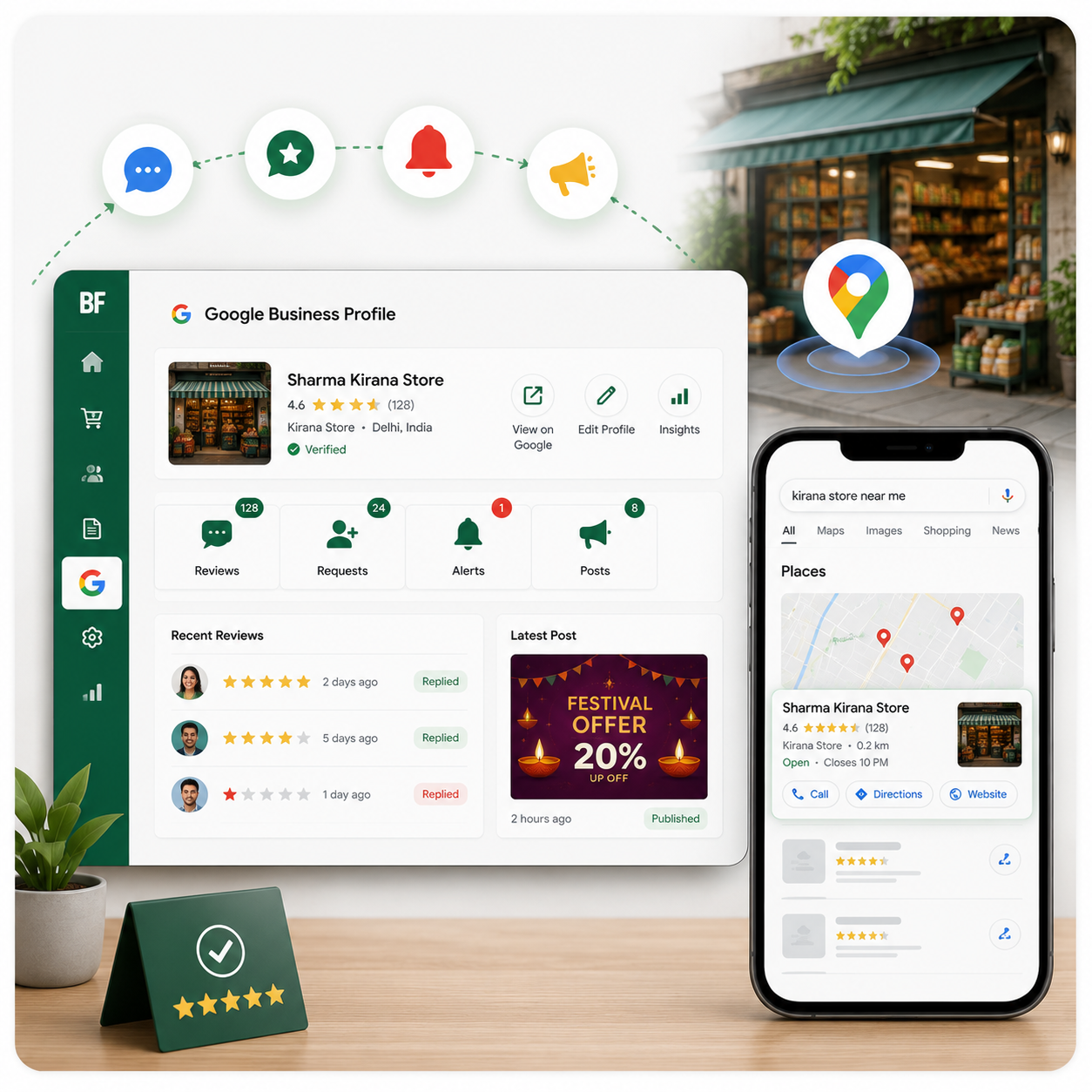
- Read and reply to your Google reviews right inside Billing Fast
- No separate Google login — reviews sit next to your billing and orders
- Replying signals a live, caring business to both customers and Google
- Only about 5% of businesses reply to reviews, so responding makes you stand out fast
The numbers make replying a no-brainer. Around 89% of consumers are more likely to choose a business that responds to its reviews, and businesses that reply consistently have been shown to earn noticeably more revenue than those that stay silent. Yet because only about 1 in 20 businesses actually bother, simply answering every review — a quick thank-you on the good ones, a calm fix on the bad ones — puts you ahead of nearly everyone in your area.
Turn Happy Customers Into Fresh Reviews
A link or QR code, tapped right after a good visit
- Send a review-request link so a happy customer can review you in a couple of taps
- Show a QR code at the counter that opens your Google review page instantly
- Ask at the right moment — just after billing, while the good experience is fresh
- Policy-safe: request honest reviews only, no discounts or rewards offered
Fresh reviews now matter more than a big old pile of them. Review velocity — a steady stream of new reviews — has climbed to become one of the strongest local ranking signals, and a handful of fresh reviews each month can outweigh hundreds of stale ones. Because Billing Fast lets you ask the instant a sale is done, you build that steady flow naturally, without ever crossing Google's 2026 rules that ban offering incentives for reviews.
Catch a Bad Review Before It Does Damage
Get notified the moment a low rating lands
- Instant alert when a low or negative review comes in — no more finding it a week later
- Respond fast and calmly, in your own words, to show you take it seriously
- A good reply can turn an upset customer around and reassure everyone reading later
- Protect the rating that decides whether new customers give you a chance
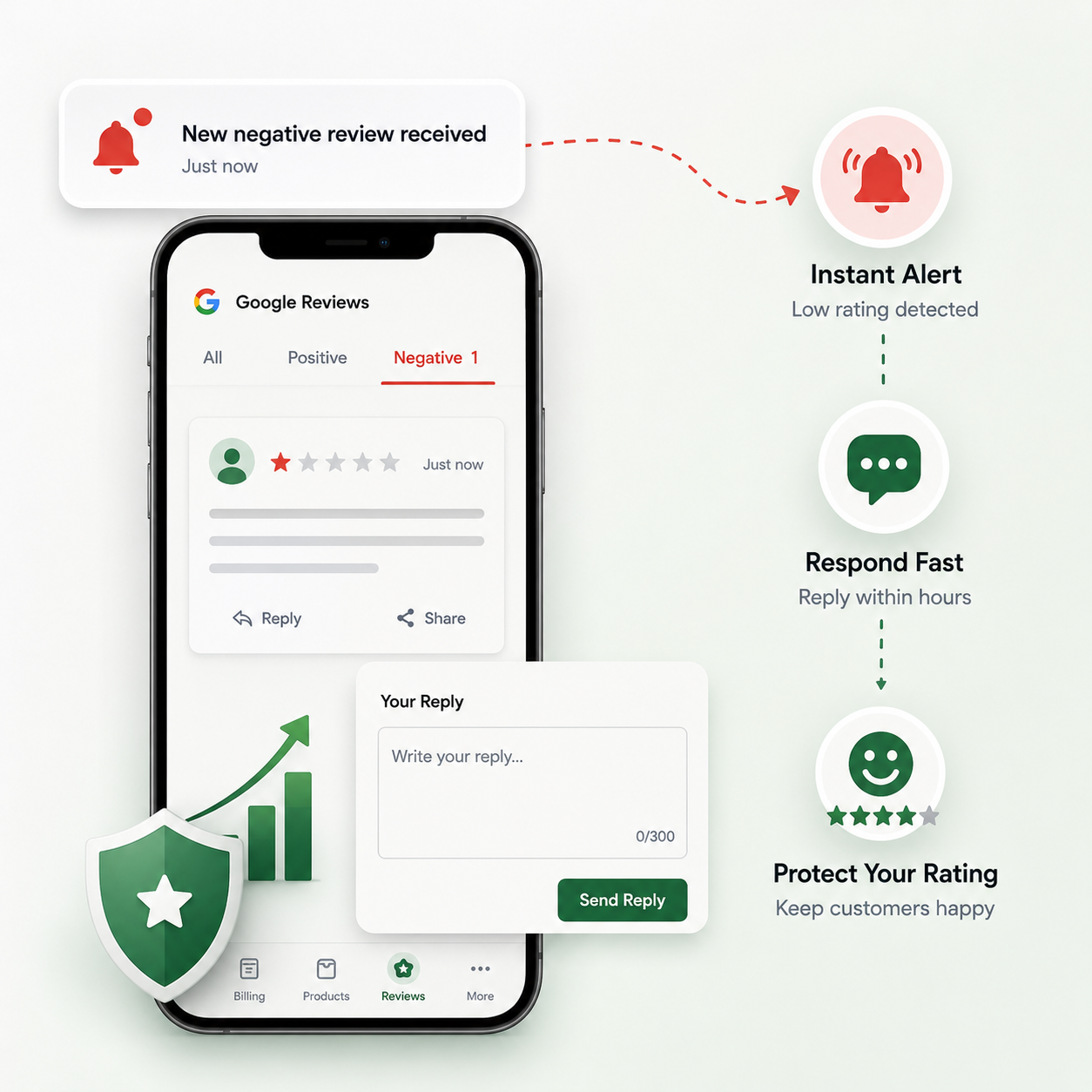
Negative reviews carry real weight: 94% of consumers say a bad review has made them avoid a business, and a single angry, unanswered one-star can cost you customers for months. Speed is everything here. Getting alerted the moment it lands lets you reply within hours — acknowledge the issue, apologise where needed, and offer to fix it privately — which is exactly what turns a damaging review into proof that you care.
Keep the Profile Alive With Posts and Updates
A profile that hasn't changed in a year looks abandoned. From Billing Fast you can post updates, offers, and news straight to your Google Business Profile, so the listing always shows something recent. These posts do two jobs at once: they give a browsing customer a fresh reason to choose you — a festival offer, a new arrival, updated timings — and they signal to Google that the business is active, which supports your ranking. Pair that with correct hours and a few good photos, and your profile reads as a real, running shop rather than a name on a map.
What You Manage at a Glance
| Task | What Billing Fast does | Why it matters |
|---|---|---|
| Reply to reviews | Read and respond inside the app | 89% prefer businesses that respond; only ~5% do |
| Request reviews | Share a link or show a QR code | Fresh review velocity is a top ranking signal |
| Bad-review alert | Notify you the instant it lands | 94% avoid a business over a negative review |
| Post updates | Publish offers and news to your profile | An active profile ranks and converts better |
| Stay compliant | Request honest reviews, no incentives | Keeps you inside Google's 2026 review policy |
How Reviews Feed Your Local Ranking
Google ranks local businesses on three things: relevance (do you match the search), distance (how close you are), and prominence (how well-known and well-reviewed you are). You can't move your shop, but prominence is fully in your hands — and reviews are its biggest lever. A steady flow of fresh reviews, a healthy star rating, and replies on all of them push you up the local pack, where the walk-in customers are. That's why managing your profile isn't vanity; it's the most direct local SEO a small shop can do, and it costs nothing but a couple of minutes a day.
How It Fits With the Rest of Billing Fast
Profile management sits alongside everything else you run in Billing Fast, so growth compounds. Bill a customer, then ask them for a review in the same flow. Win them back later through WhatsApp order automation, take their delivery order with live delivery tracking, and keep the shop itself running on our kirana store billing software. New to getting found online? Start with our guide to selling online in India and the best billing software in India. One app moves a customer from search, to sale, to a five-star review that brings the next customer in.
Conclusion
Your Google Business Profile is the busiest storefront you own, and for most shops it's the most neglected. Replying to reviews, asking for fresh ones, catching the bad ones early, and posting updates are simple jobs — the hard part is doing them every day. Billing Fast makes that easy by putting your whole profile inside the app you already open to bill. Do these small things consistently, and you climb the local pack, earn the trust that 10 reviews build, and turn Google itself into a steady source of new customers.